Showing posts with label SysOperationFrameWork part 2. Show all posts

Saturday, 14 March 2015

SysOperationFramework part 2

Attribute Based Customisation and Code Base Customisation using UIBuilder Class

Hope you guys are fine.Let start with our Part 2 ,in which i will be demonstrating about how to customize dialog via attribute based and complex customization via UI builder class.
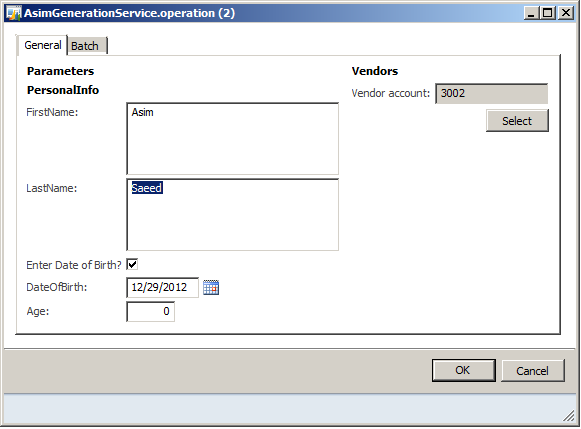
Our desired one is:
1
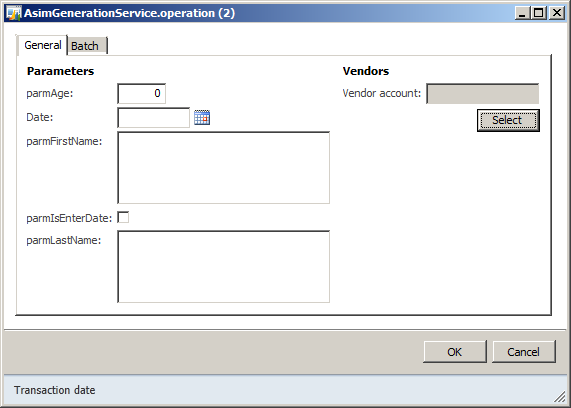
So last time i left it here:
Par1
Right now what we want is this
  1. labels of the field like (First Name,last name e.t.c)
  2. Should be group in to ‘PersonalInfo’ group
  3. And all fields should have a sequence(First Name field then Last Name field and so on)
Here is the way:
Open class AsimDataContract and put attributes
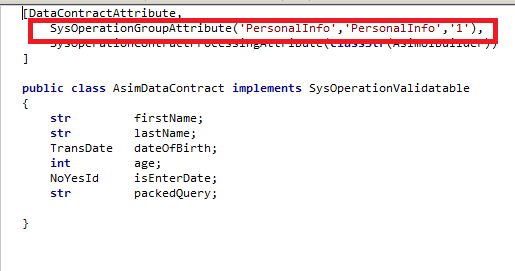
DataContractAttribute
SysOperationGroupAttribute create a group on the dialog with system name and a group name ‘PersonalInfo’ and ‘1’ the sequence of display order,which is an optional thing.
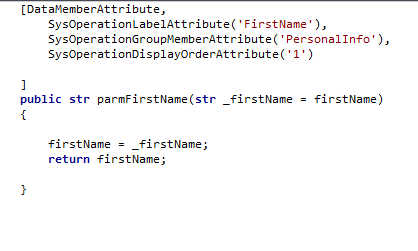
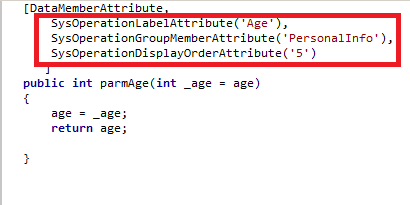
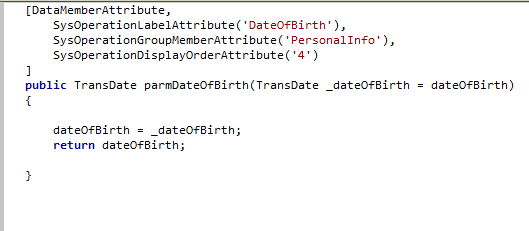
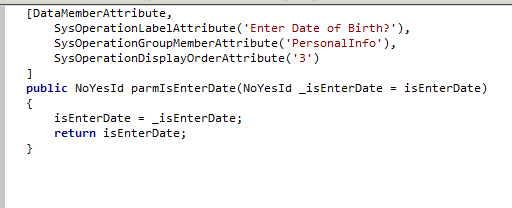
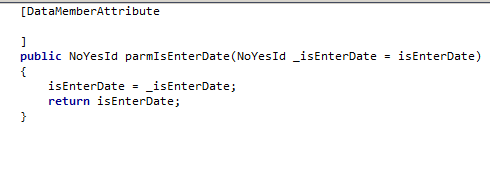
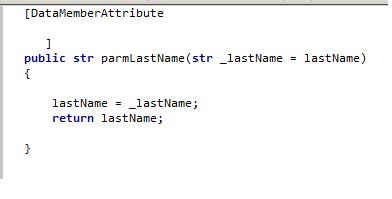
FirstNameAttribute ageattribute dateofBirthAttribute IsEnterDateattribute.pg
Notice in the methods that i have placed three attributes in each method:
SysOperationLabelAttribute(‘FirstName’) = Use to create a label for the field
SysOperationDisplayOrderAttribute(‘1′)  = Use to place the field sequentially
SysOperationGroupMemberAttribute(‘PersonalInfo’) = Use to place the field in the group,in our case its ‘PersonalInfo’
Now finally what we need to do is to Generate IL again .and Open the dialog using menuitem.We would have something like this :
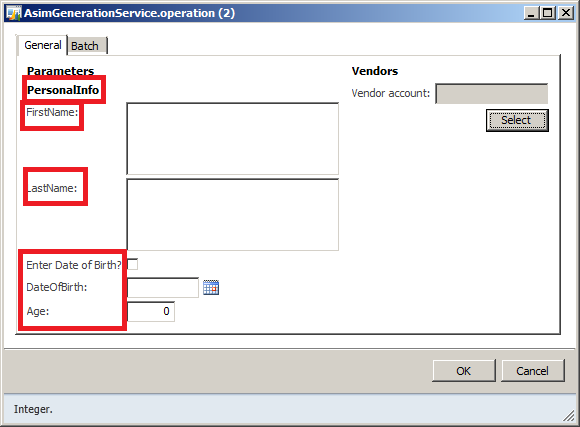
AttributeBased
Reason of Using UIBuilder class:
For complex customization of a dialog like, there was a requirement that i have mentioned at the start of Part1 blog was
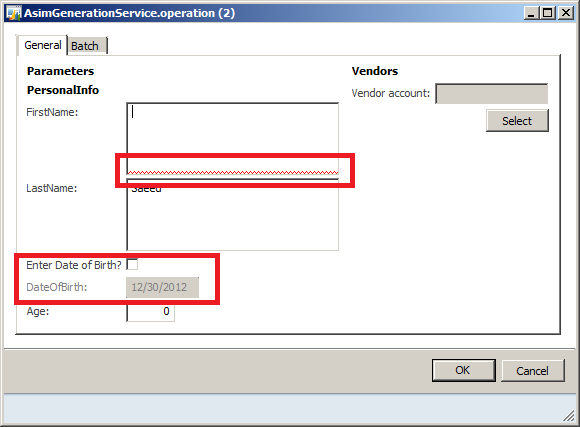
  1. FirstName and Last Name should be mandatory
  2. Also we want the Date field to be enabled/disabled based on a check box ‘IsEnterDate
So basically if we want to play with the properties of the dialog we would need the UI builder class to achieve this
so here is the code:
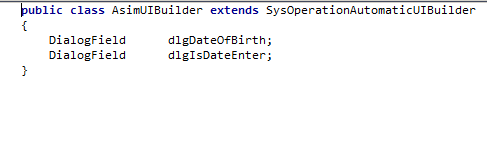
AsimUIBuilder
Here I have created a new class AsimUIBuilder and extends this class from SysOperationAutomaticUIBuilder to make this class a UIBuilder class.Also i have created to Dialog fields one for DateofBrith field and second for IsDateEnter check box
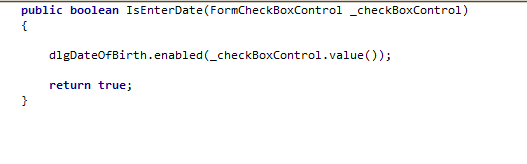
IsEnterDateUiBuilder
Now think of a check box method where based on the check box selection i am enabling/disabling the DateofBirth field
PostBuild
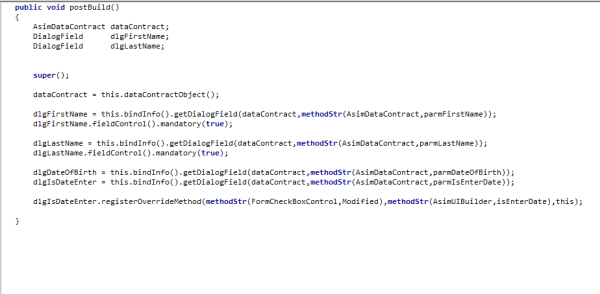
Now postBuild method is an override method,which we usually use for the customization.It is run after dialog UI is generated.
I have created three variables 1.Instance of my Data contract class  2.Two Dialog fields
Super(); it will actually initializes the dialog
then  dataContract = this.dataContractObject();
it initialize the dataContract instance
 dlgFirstName = this.bindInfo().getDialogField(dataContract,methodStr(AsimDataContract,parmFirstName));
So here what I am doing is, associating dlgFirstName field with the dialog field.The framework maintains an association between controls and data contracts in a map that can be accessed via the this.bindInfo() method. The map is keyed by the name of the property in the data contract.
 dlgFirstName.fieldControl().mandatory(true);
then here comes the actual part,here i am making the field mandatory.Similiar with the case of LastName field
  dlgIsDateEnter.registerOverrideMethod(methodStr(FormCheckBoxControl,Modified),methodStr(AsimUIBuilder,isEnterDate),this);
Now think of a checkbox field in a form,and if you want to update another field based on the check,what you gonna do.You would update the modified method of that field,So exctly what i have did here when i have created the ‘IsEnterDate’ method.But Since we do not have any form for that, and we have create the method in a UIBuilder class so now the last thing is to register the Override method of a checkbox.The above code would give you a fair idea.
DataContractUIBuilder
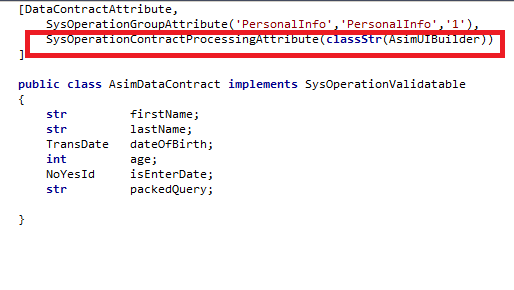
Laslty to make this applicable on the dialog ,we need to add an attribute on the AsimDataContract class which is
SysOperationContractProcessingAttribute(classStr(AsimUIBuilder)).This attribute now associating the UIBuilder class to the AsimDataContract class.and Finally again we would be generating an IL and open a menu item.
We would have something like this:
UiBuilderLayout
part 1 is here :) ,Do let me know if you have any query
Stayed tuned for the upcoming part.

SysOperationFrameWork Part 1


Using Data Contract 

Hi All,
This is the Part 1 of series of the explaining the simple use of SysOperation Framework in Ax 2012.
So lets start with the introduction,
SysOperation Framework:

SysOperation Framework formerly known as (Business Operation Framework) provides a way  to create and run our operations on a batch server. Previously in earlier versions of  Ax 2009  RunBaseBatch framework was used.
The only reason that i have understand of the introduction of SysOperation in Ax 2012 is that, in previous version RunBaseBatch provides the implementation of the actions required for the operation to be run on server.But SysOperation provides the BASE implementation of all the implementation that were before.So it means that there is a fair chance of extending in future versions as well.For more information you can MSDN :)
Here is the list ,i will be covering as a part of SysOperation Framework in AX 2012
  1. DataContract and Service Creation
  2. Attribute based Customization and Code base Customization via UI Builder
  3. SysOperationServiceController
So lets start Part 1.
Agenda: User/Developer need to create a something like this  (below) as a part of SysOperation Framework
1
What needs to be in the above dialog:(Requirements)
  1. Create FirstName and LastName fields and make them MANDATORY
  2. A check box  whether to ask if he/she wants to enter the date of birth or not
  3. DateOfBirth field should be enabled/disabled based on the above check box
  4. DateOfBirth value should be defaulted to system date +2
  5. Query field for Vendor Account
  6. Query field should be defaulted to ‘3002’
  7. All fields apart from Query field should be group in to ‘Personal Info’ group
  8. Age should not be exceeded with 65 ,otherwise it should prompt
  9. Upon successful execution Info log should be prompt ,showing the complete name,date of birth,age and vend account value.
So here it is we have quite few requirements above :) covering all the functionality that i will be covering for the SysOperation Framework .
For DataContract
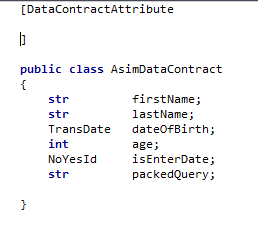
1. Create a class with any name like ‘AsimDataContract’  declare global variables.Think of all fields of on the dialog and declare variables according to it
here it is
dataContract
age DateOFBirth Fname IsDateEnter Lname query
Note things here:
  1. First i have created a class called AsimDataContract and place an attribute called ‘DataContractAttribute’ so I want to ensure that this class is not a normal class but this class should be use as a Contract class instead then i need to place this attribute on the class level.
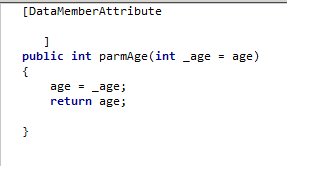
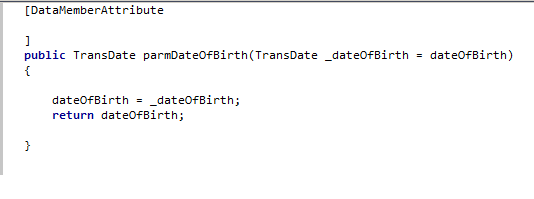
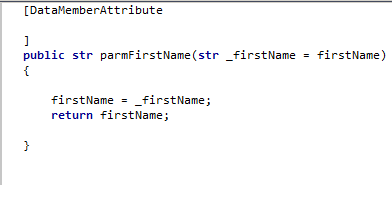
  2. Also i have created same number of parm methods as same number of fields in the dialog above in the first screen
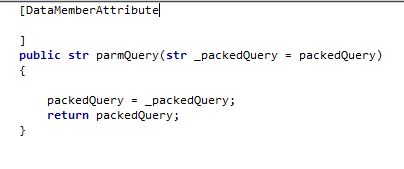
  3. So if we want to make the fields available on the dialog,i need to create a Parm methods for it and add ‘DataMemberAttribute’ on every methods like i did.
Important thing to do:
After creation of the above class we need to perform several task in order to view the dialog.
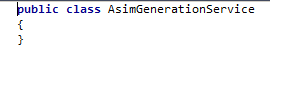
  1. We need to create a service class and use this AsimDataContract class in it.It is a class where we mentioned the actually operation performed by our service.
serivicegeneraion
now the Method ,that will be my ‘service operation’  means that will actually perform the task
operaionMethod
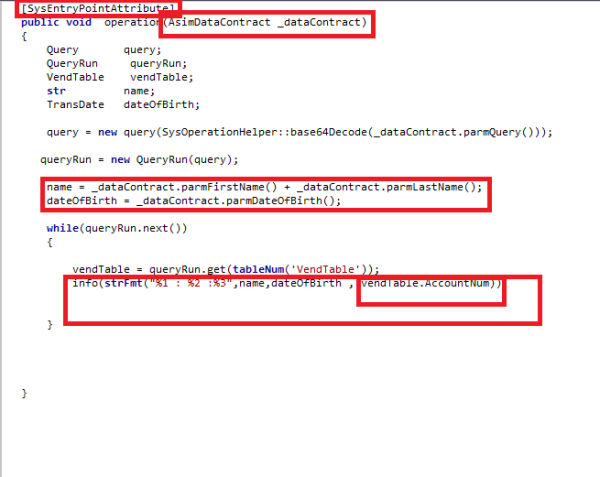
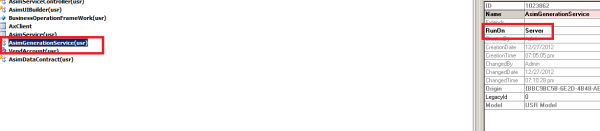
Here ‘SysEntryPointAttribute’ is used on the method,which make this method as a serviceoperation.Now this method will be taking all the input from the dialog and show the input values in a dialog see the highlighted items which will fairly give you an idea.One thing more,see this method is taking Data Contract instance as an input parameter.Finally we need to set the ‘RunOn’ property to ‘server’ otherwise our service wont run
RunOnServer
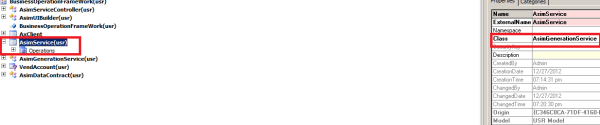
  1. Create a Service and associate our service class to it
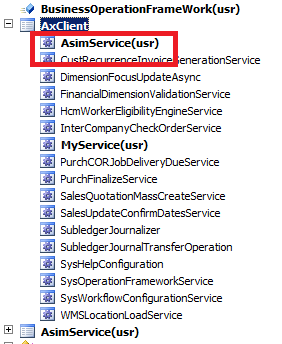
AsimSerive
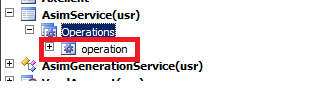
Now when you go to operation node and right click it and try to create/add a new operation the method name containing ‘SysEntryPointAttribute would be available here.In our case it is ‘operation’
Operation
  1. Assign our service to Service group
AxClientGroup
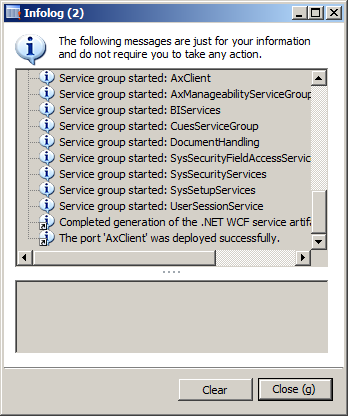
Right click the group and click deploy
  1. Deploy the service group
DeployOnfolog
  1. Create a menu item to interact with the dialog
MenuItem1
last but not the least we need to generate IL(you can MSDN why we need it) but for service to be run on server we need to generate IL for it.
So far what we have would be something like this :
Par1
So stay tuned for the next part :)